
One gateway. Calmer email.
Secure Message is a self-hosted email security gateway. It sits in front of the mail system you already use, filters what comes in, and, on Professional, gives sensitive outbound messages a safer way to travel.
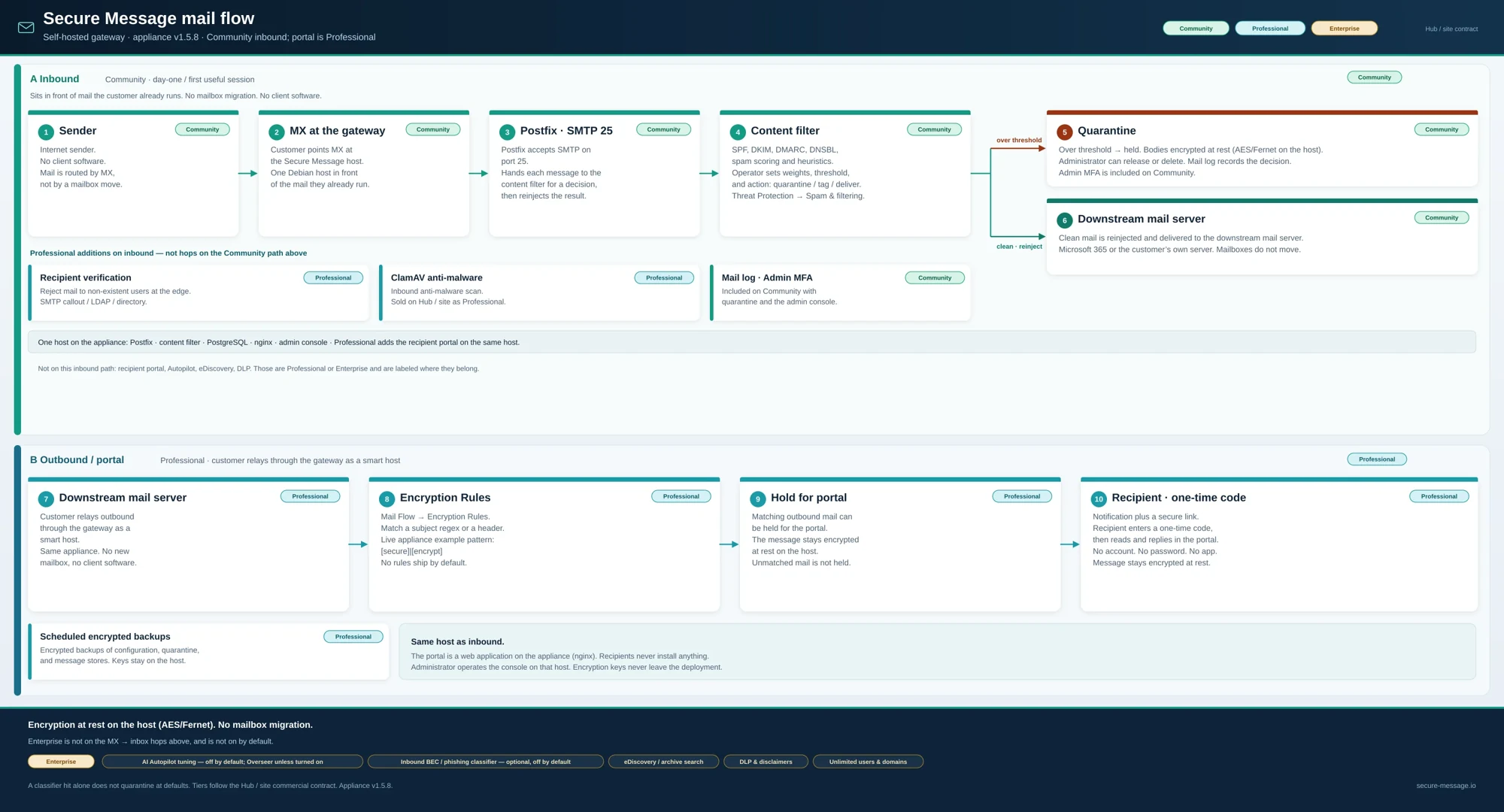
Four jobs, done well.
Each part is licensed separately, so you can start free and add what you need.
Filter what comes in
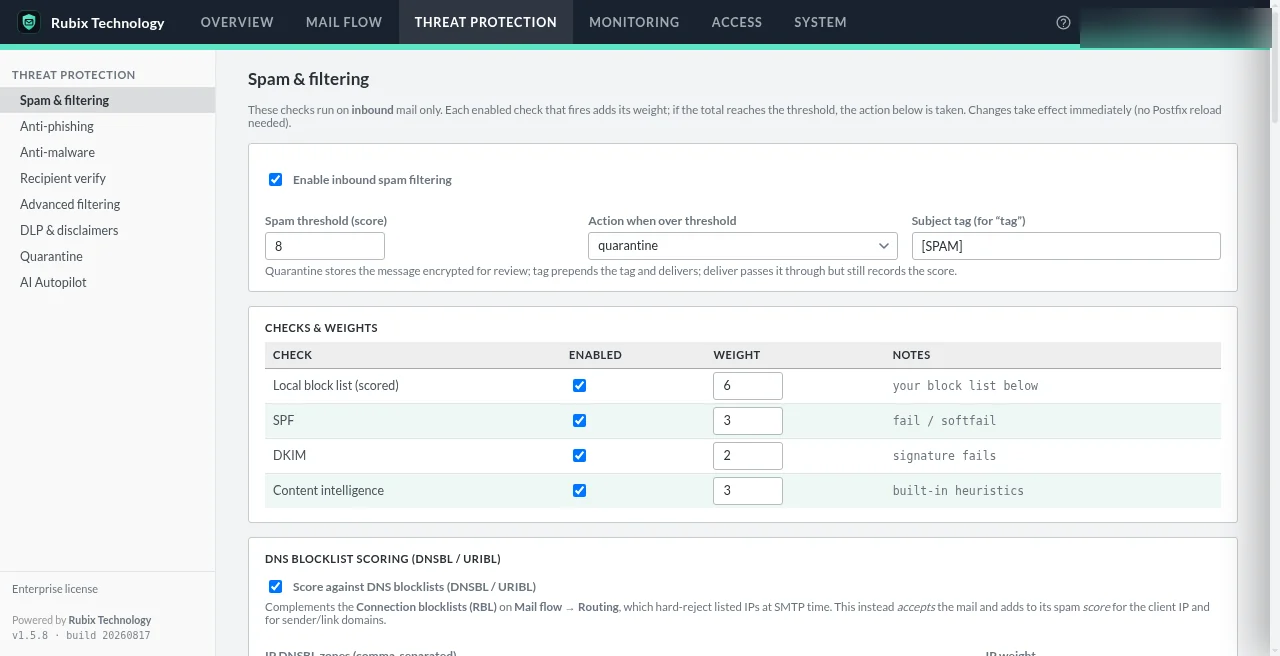
Spam scoring, DNS blocklists and SPF, DKIM and DMARC checks on your gateway, before mail reaches a mailbox.
Community and upStop impersonation and malware
Anti-phishing, spoof defense, ClamAV anti-malware and recipient verification at the edge.
ProfessionalShare sensitive mail simply
Hold a protected message on your gateway and let the recipient open it with a one-time code.
ProfessionalTune with AI on your terms
An optional classifier and tuning advisor. Off by default; proposals wait for an administrator.
EnterpriseIn front of your mail. Not instead of it.
You point your MX record at the gateway and relay outbound mail through it as a smart host. Mailboxes, email clients and your mail provider stay as they are.
- One Debian 13 host you control (a server or a VM)
- Only ports 25, 80 and 443 exposed; everything else on loopback
- Works in front of Microsoft 365, Exchange or your own mail server
- No client software, no mailbox migration
Start free. Grow into it.
Community
Free · 1 domain · 1 administrator · licensed for up to 10 users
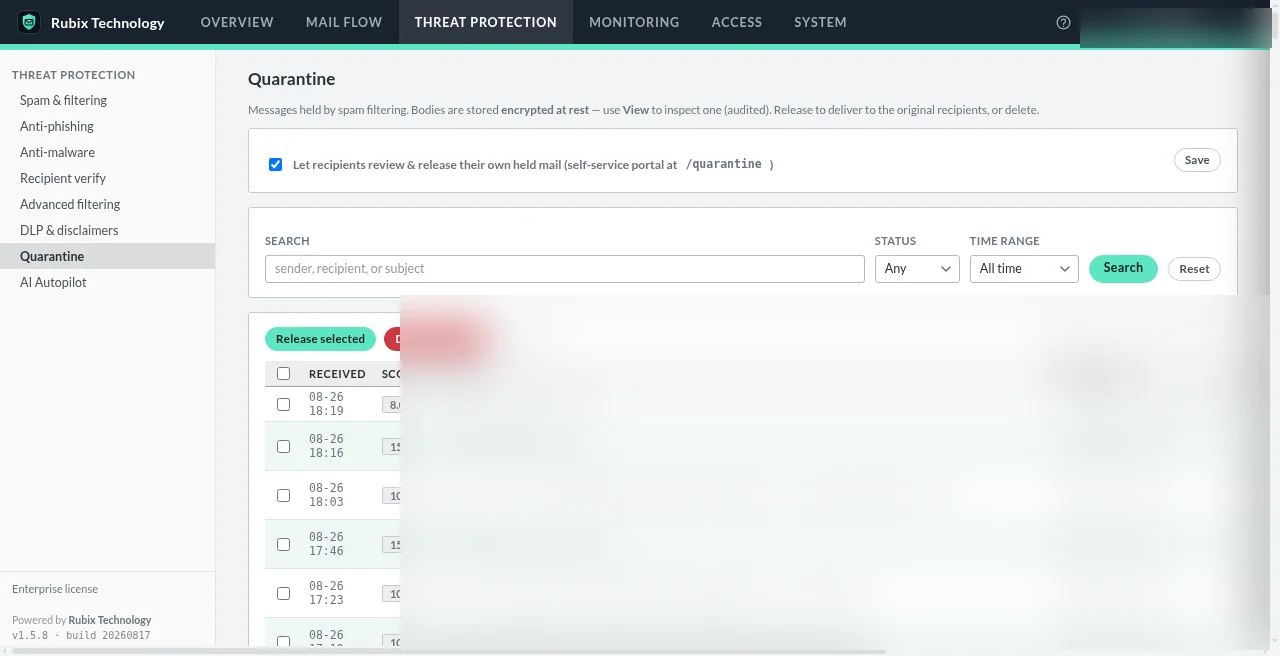
Inbound filtering, DNSBL, SPF/DKIM/DMARC checks, quarantine, mail log, admin MFA.
Professional
$690/year · up to 10 domains · licensed for up to 100 users
Adds the secure recipient portal, outbound protection, anti-phishing and spoof defense, anti-malware, recipient verification, advanced rules and encrypted backups.
Enterprise
$1,490/year · unlimited users and domains
Adds AI Autopilot tuning, eDiscovery and archive search, DLP and disclaimers, and priority support.
The console you'll actually use.
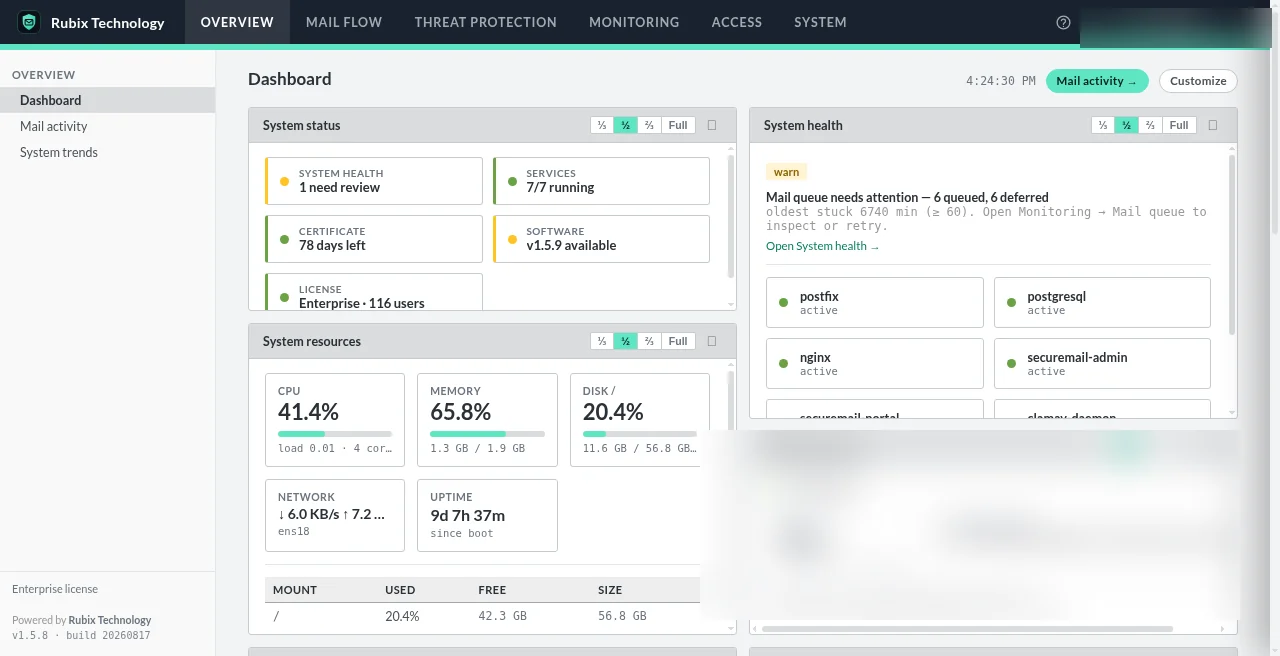
Real screenshots from a running appliance. Sender and recipient details are redacted.
See it on your own mail.
Book a walkthrough, or install Community on a host you control and try it with one domain.