
Stop suspicious email before it reaches the inbox.
Secure Message checks every inbound message on your own gateway before it lands in a mailbox: who sent it, whether it was tampered with, and whether it looks like spam.
Included in free Community
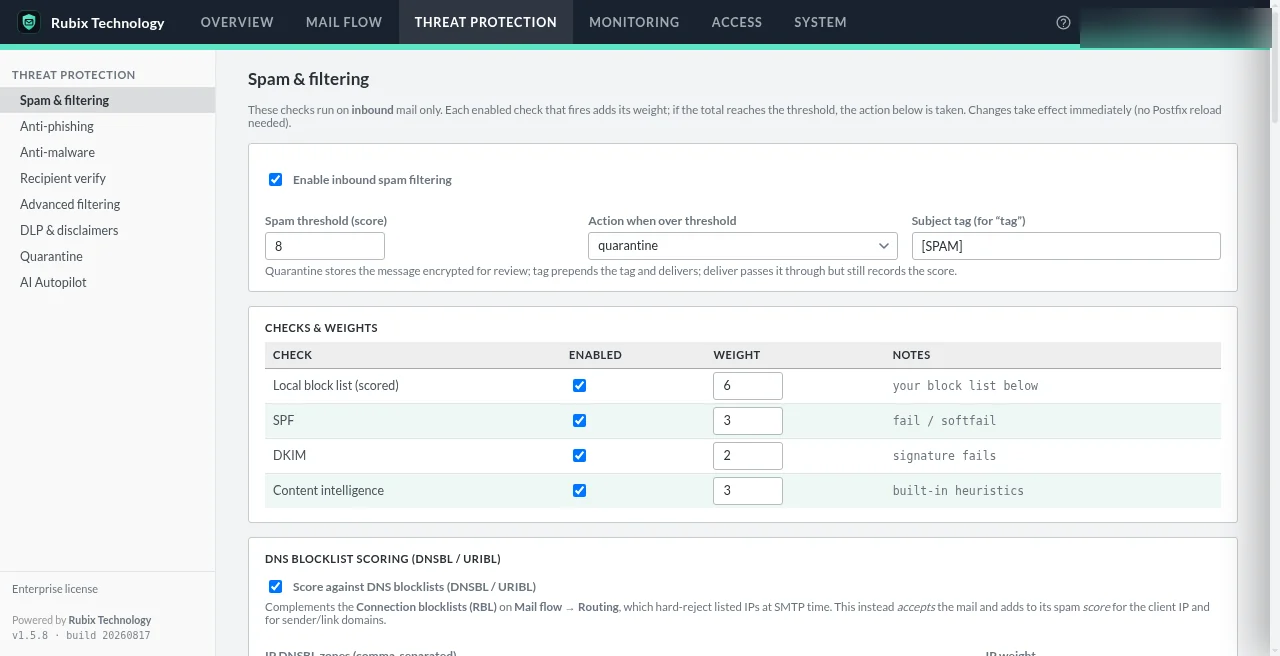
Less noise. More confidence.
Cleaner inboxes
Spam and obvious junk get scored and held before your team ever sees them.
Fewer forged senders
SPF, DKIM and DMARC checks catch mail pretending to come from domains it doesn't.
Clear visibility
See what was delivered, scanned or held, and why, in one log you can export.
From the internet to your inbox, in order.
- Connection checks
The gateway accepts mail only for domains you've configured. It is never an open relay. Optional HELO and sender-domain checks happen here.
- Content filter
Each message is handed to the filter, which makes every policy decision on the host.
- Weighted spam score
Blocklists, SPF, DKIM alignment, content heuristics, DNSBL, DMARC and any other enabled checks add up to one score.
- Your action
Over the threshold: quarantine, tag the subject, or deliver anyway. Under it: on to your mail server.
- Delivered to your mail system
Filtered mail is reinjected and relayed to your existing server. Mailboxes stay where they are.
What each check actually does.
Spam scoring
Every enabled check adds a weight to a score. Cross your threshold and your chosen action applies. You decide the weights.
DNS blocklists (DNSBL)
Checks the sending server against public reputation lists. Known spam sources get scored or refused.
SPF
Is this server allowed to send for that domain? SPF answers using the domain's own published list.
DKIM
A digital signature that shows the message wasn't changed on the way and really came from the signing domain.
DMARC
The domain owner's instructions for mail that fails SPF or DKIM. Secure Message enforces by quarantining, never by silently dropping.
Quarantine
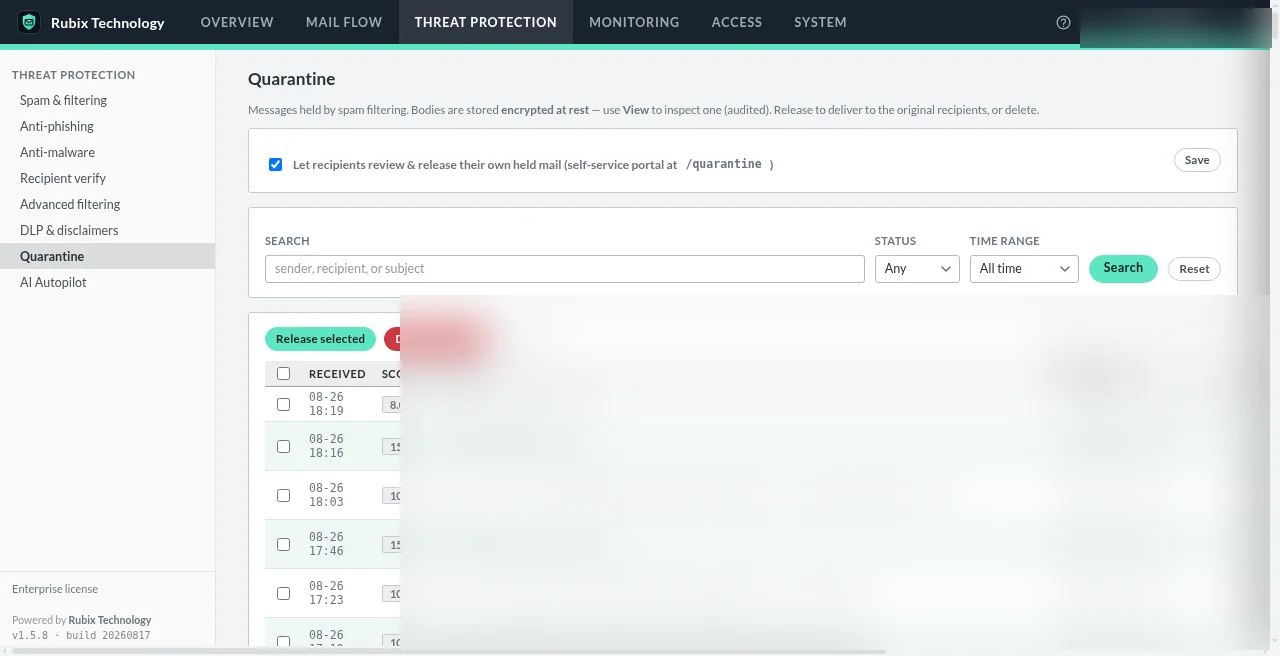
Held mail is encrypted on the gateway. Review it by time and score, then release false positives to the original recipients.
Mail logs
A searchable mail flow log with event filters and CSV export. Senders and recipients can be redacted in screenshots like these.
Held mail, handled.
Review held messages by received time and score, search them, and release false positives to the original recipients in a click.
- Quarantined messages are encrypted at rest, never stored in plaintext
- Administrators see metadata and the filter verdict, not the message body
- An option lets recipients review and release their own held mail
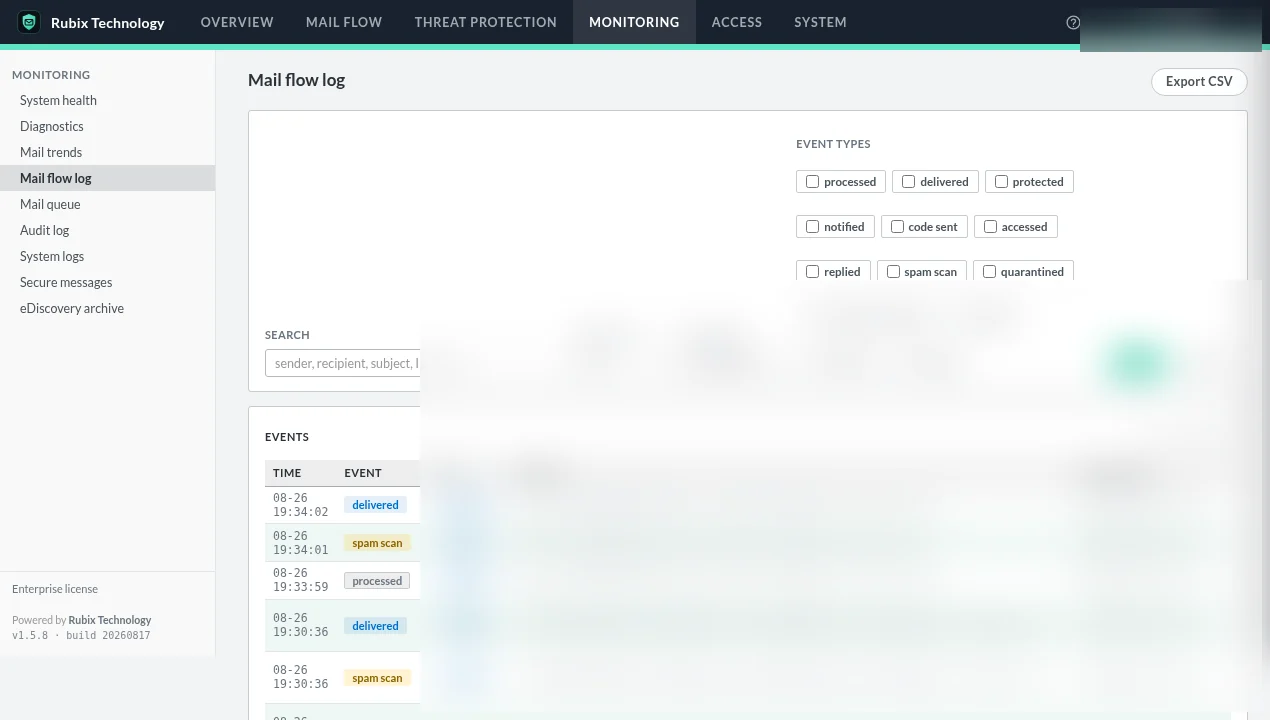
Know what happened to every message.
The mail flow log shows delivered, scanned, held and protected events with filters, search and CSV export.
- Health checks for queue depth, disk and certificate expiry
- Scheduled admin reports and a per-user quarantine digest
- Retention settings control how long logs are kept
Filtering questions
Is email filtering included in the free Community edition?
Yes. Community includes Postfix content filtering, spam scoring, DNS blocklists, SPF, DKIM and DMARC checks, quarantine, the mail log and admin MFA for one domain and one administrator.
What happens to a message that scores over the threshold?
You choose: quarantine it, tag the subject line, or deliver it anyway. Quarantined mail is encrypted on the gateway and can be released to the original recipients.
Will a failing DNS lookup block my mail?
No. Reputation checks such as SPF, DKIM and DNS blocklists yield “no opinion” on timeout, so a third-party outage can't stop your mail. DMARC enforcement quarantines rather than drops, so a false positive is always recoverable.
Can I check my domain's SPF, DKIM and DMARC first?
Yes. Try the free email authentication checker. It shows what pass, warn and fail mean in plain language.
Start filtering on a host you control.
Community is free for one domain and one administrator. Install it, point a test domain at it, and see what it catches.