
Better visibility into what reaches your inbox.
Phishing, impersonation and malware rarely announce themselves. Secure Message adds layered checks at your gateway and shows you exactly what it caught, and why.
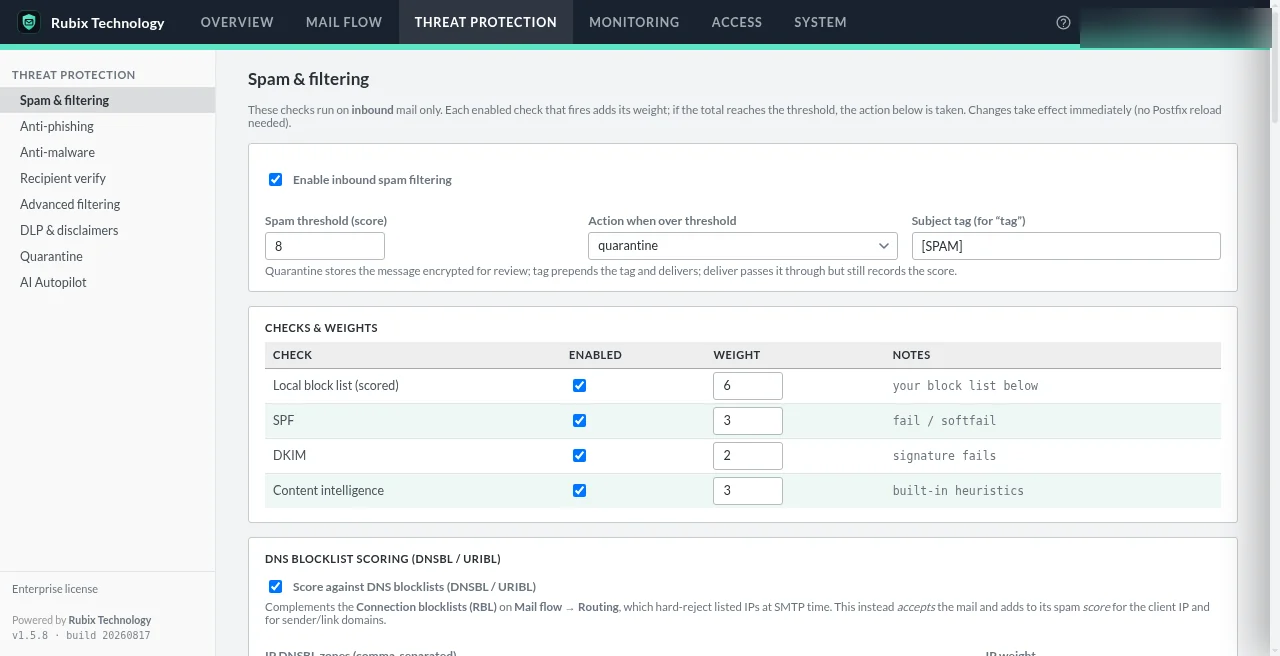
Layers that work together.
Each layer adds to one score or makes one clear decision, so you can see how a message was judged.
Anti-phishing & spoof defense
Phishing signals feed the spam score, and spoofed senders that fail authentication are caught before content is evaluated.
ProfessionalAnti-malware (ClamAV)
Attachments are scanned with ClamAV plus an attachment policy that looks one level into archives. Scanner down? Mail waits. It's never delivered unscanned.
ProfessionalRecipient verification
Rejects mail to addresses that don't exist via SMTP callout, LDAP or directory lookups, cutting backscatter and wasted load.
ProfessionalAdvanced filtering rules
Finer-grained rules for the senders, content and attachments your business actually deals with.
ProfessionalSender authentication
SPF, DKIM and DMARC checks on every inbound message, with DMARC enforcement that quarantines rather than drops.
CommunityDNS blocklists & scoring
Reputation lists and weighted heuristics roll into one score you control.
CommunityFail safe where it matters. Fail open where it's kind.
Mail security products usually disappoint at the edges. These are the rules Secure Message follows when something goes wrong.
- Filter errors defer, never lose mail
An unhandled filter error leaves the message queued for retry.
- Anti-malware fails closed
If ClamAV is unreachable, mail is deferred rather than delivered unscanned.
- Reputation and AI checks fail open
SPF, DKIM, DNSBL and AI lookups yield “no opinion” on timeout, so an outage elsewhere can't stop your mail.
- DMARC quarantines, never drops
A false positive is always recoverable.
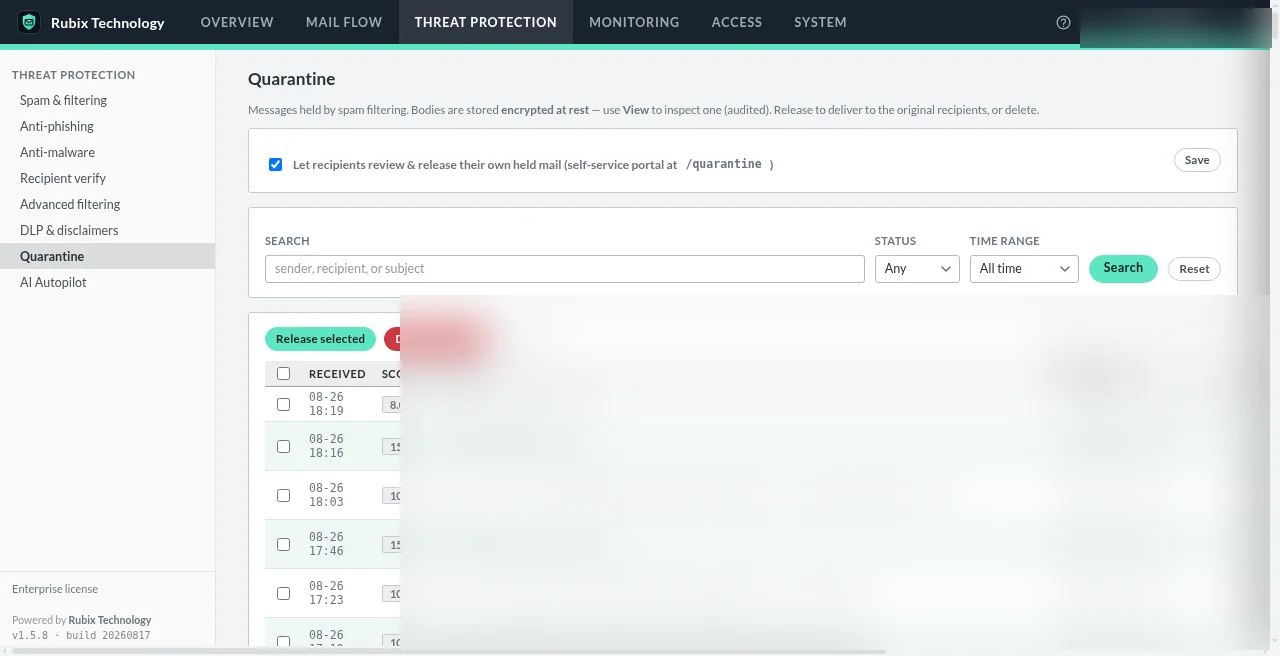
See it, then decide.
Quarantine shows held mail with its score; the mail flow log shows every event. Release what's legitimate and tune what isn't.
- Per-domain policy can override most filtering settings
- Administrator-supplied patterns run under a regex guard
- Every configuration change is audited
Threat protection questions
Which threat protection features need Professional?
Anti-phishing and spoof defense, anti-malware (ClamAV), recipient verification and advanced filtering rules are Professional. Community includes spam scoring, DNS blocklists and SPF, DKIM and DMARC checks.
What happens if the malware scanner is down?
The message is deferred, never delivered unscanned. Your mail server's queue retries it later.
Does anti-phishing rely on AI?
No. Professional includes non-AI anti-phishing and spoof defense. The optional AI classifier is a separate Enterprise feature that is off by default.
Can it stop every attack?
No product can. Secure Message adds layers of checks and gives you visibility into what reaches your inbox; it works best alongside good email hygiene and the rest of your security stack.
Want to see what it would catch?
We'll walk through threat protection on a running appliance and answer questions about your mail.